 Scroll Free
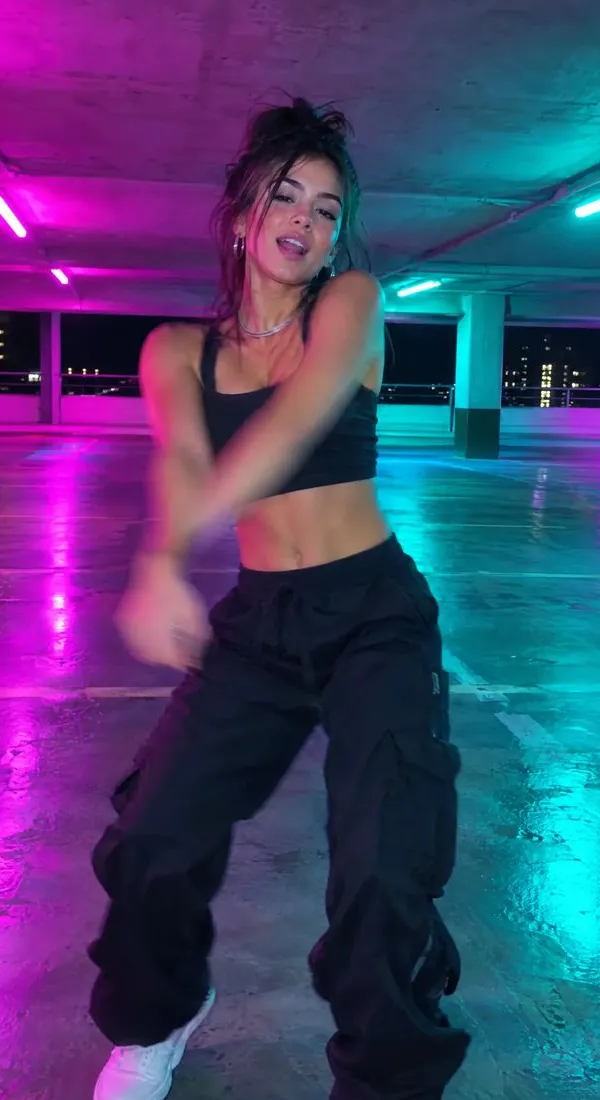
 sundaymovesFollow

 trailtalksFollow

 wanderwideFollow
 maya.lin···

Liked by jordan and 41 others
maya.lin friday dinner, finally all of us
Scroll Free switches off Reels, Shorts and endless feeds, and keeps your messages, friends and search.
3-day free trial. Cancel any time.




 and more on the way
Instagram stays. Reels don't.
Apple's Screen Time locks the real Instagram, TikTok and the rest, so there's no back door into the feed.
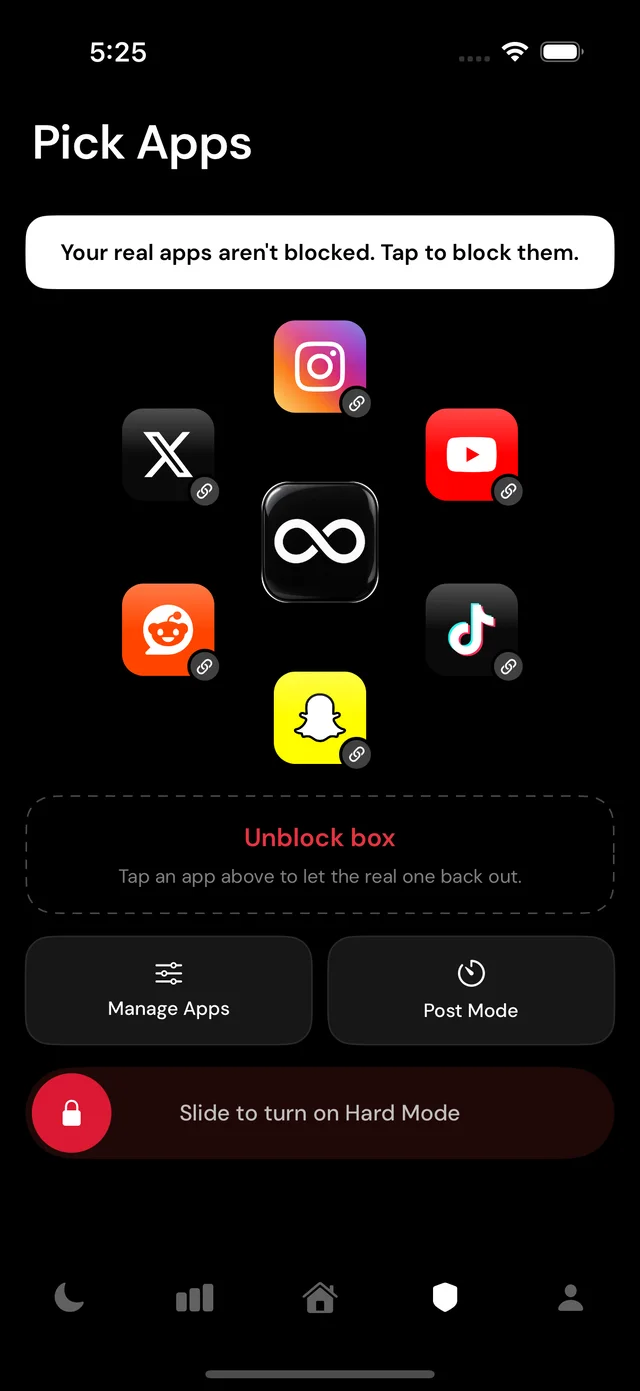
Each app opens inside Scroll Free through its own website, signed in as you, with the endless parts already gone.
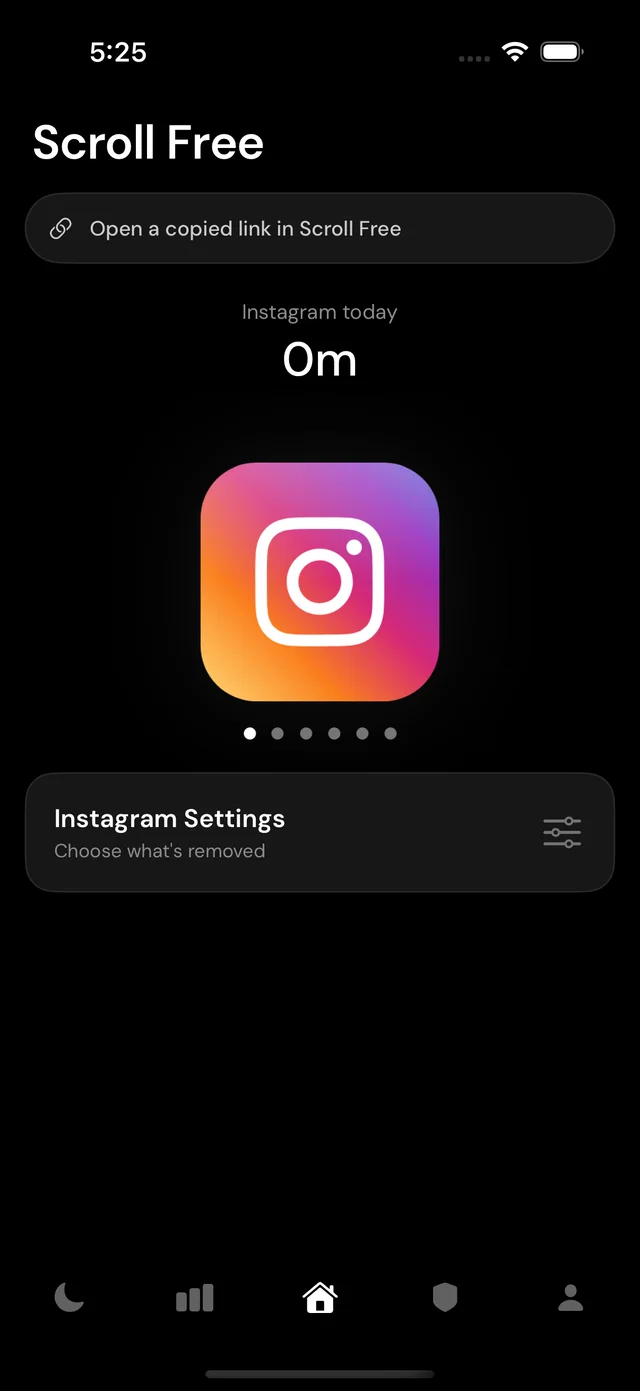
Pick a starting point, then flip switches for anything else that keeps you scrolling.
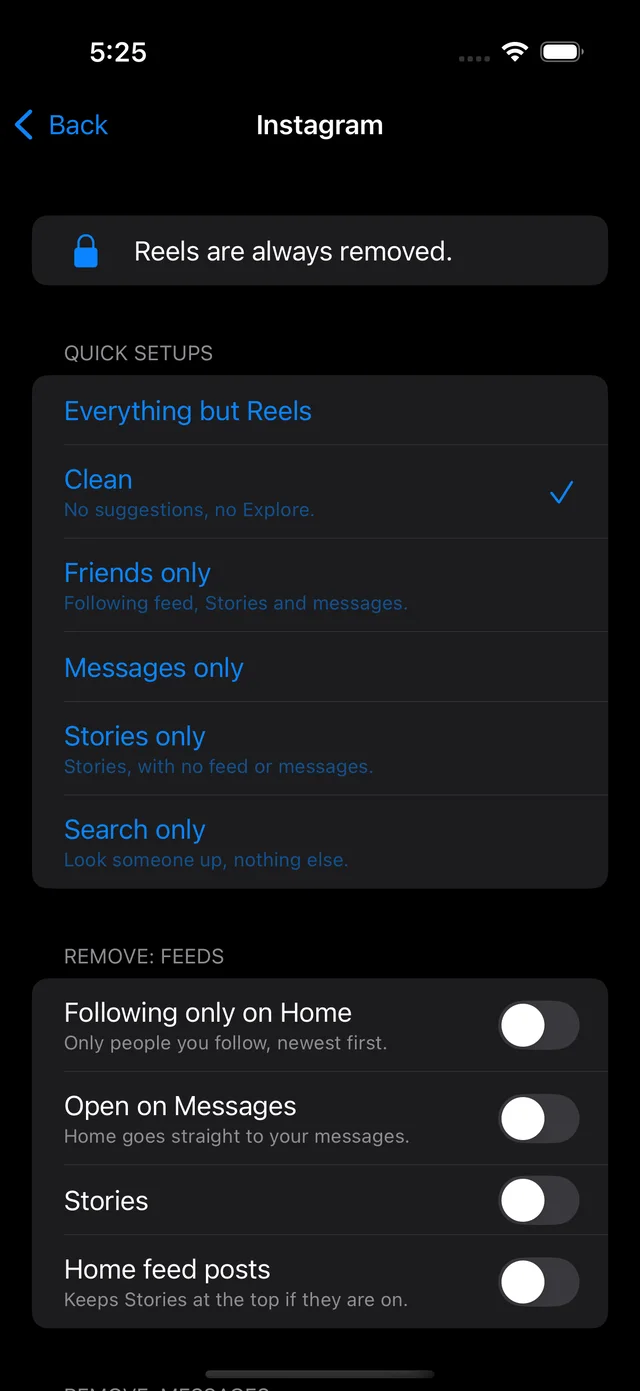
Some people only want messages. Some want their friends' posts but no suggestions. Every app has its own switches, so it fits the way you use it.
Switch on means it's hidden. Try them: these are the real switches and starting settings from the app.
Blocking is the easy part. Staying blocked at midnight is the hard part, so Scroll Free has tools for that too.
Slide all the way across to turn it on. After that, nothing unblocks until you unlock Hard Mode, and that means typing out a passage.
Need the real app to post a photo or a story? Unlock it for a few minutes. When the time's up, it locks again on its own.
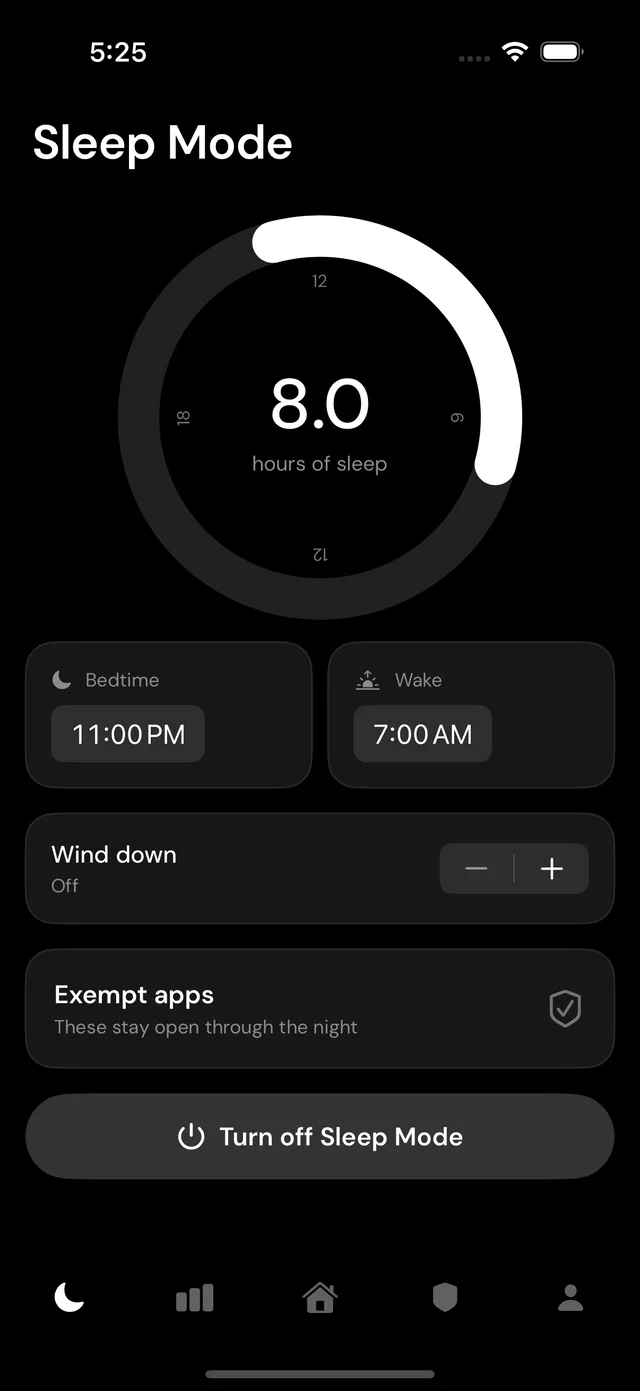
Your apps lock for the night. Add a morning buffer so the day starts before the feed does, and a wake-up alarm.
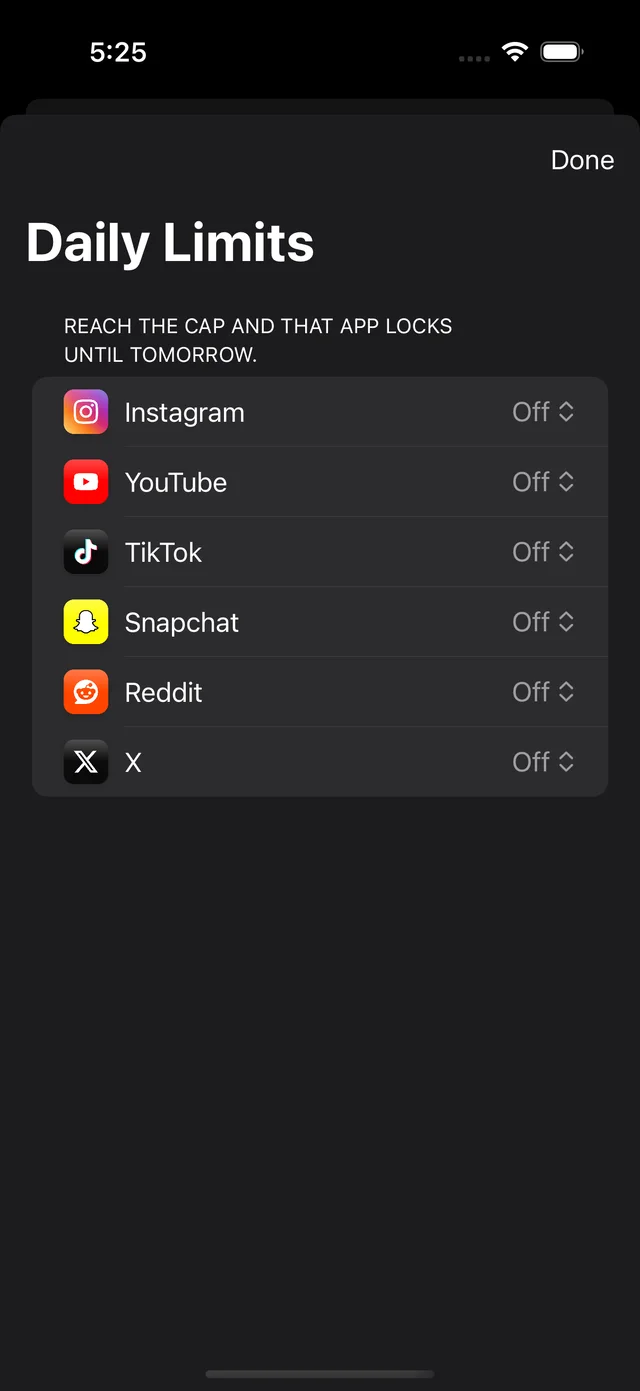
Give Instagram 30 minutes and YouTube an hour. Hit the cap and that app locks until tomorrow.
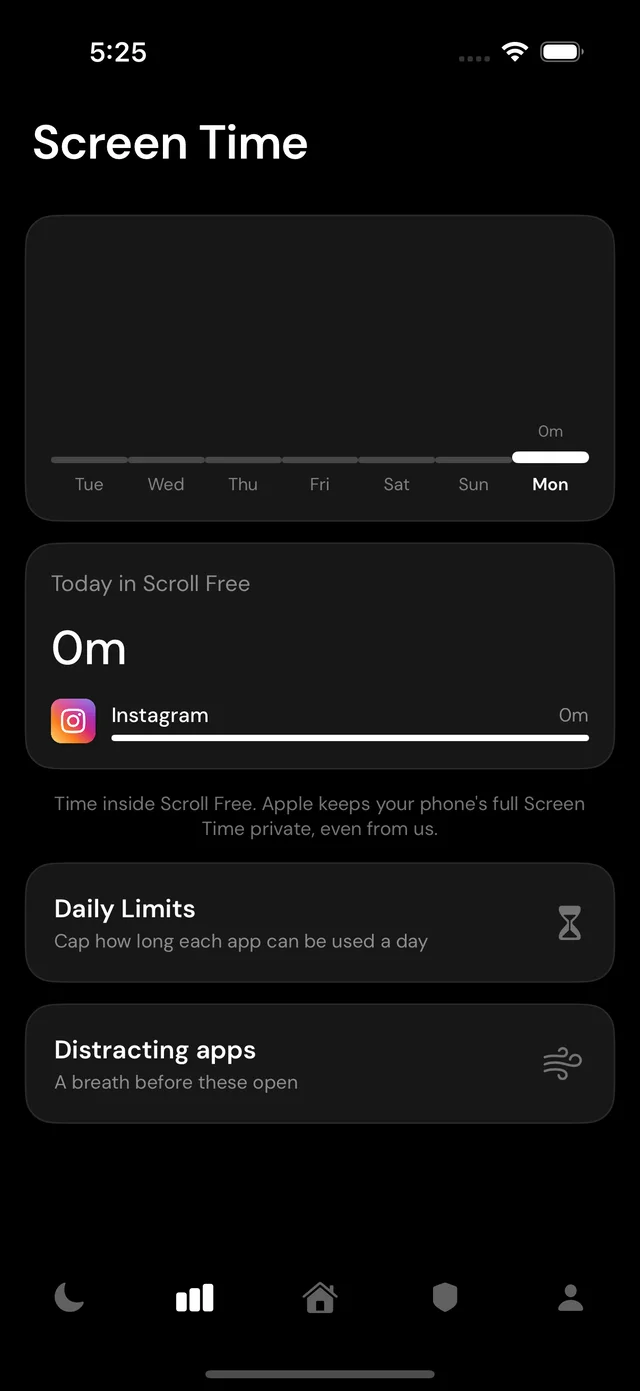
Your week at a glance: the time you spend in each app inside Scroll Free.
In for 4, hold, out for 4, hold. Before a distracting app opens, or any time you need a reset.
Lock an app away completely. No block-screen button, no way in through Scroll Free. Hard Mode only lets apps in.
Put the Scroll Free widget where Instagram used to be. Each app opens straight into the version without the feed.
No sign-up, no email, no profile with us. Open the app and go.
No ads, no tracking across other apps, and nothing sold. We make money from the subscription, and that's it.
Apple's Screen Time never tells us which apps you pick. Your sign-ins and what you do inside each app stay on your phone.
You sign in on each app's own page, so your password goes to Instagram, YouTube and the rest, not to us. Read the privacy policy.
Every feature on every plan. Cancel any time before the trial ends and you won't be charged.
$59.99 / year
Just $5 a month, billed once a year
$9.99 / month
Flexible, month to month
Prices in US dollars. Billed through your Apple ID. Manage or cancel in Settings, then your name, then Subscriptions.
Yes. You read and send messages inside Scroll Free, and on Instagram you can switch off everything except messages. One thing to know: while the real app is locked, its notifications stop too. If you need them for an app, put it in the Unblock box.
Screen Time is how Scroll Free locks the real apps, so the feed is never one tap away. Apple handles it on your phone and never tells us which apps you picked.
You sign in on each app's own page, the same page you'd see in Safari. Your password goes straight to that app. Scroll Free doesn't store it or read your messages. Your sign-in stays on your phone.
Yes. Post Mode unlocks the real app for 5, 10 or 15 minutes, then locks it again on its own.
You can, any time, from the Pick Apps tab. If you want it harder to undo, turn on Hard Mode: then nothing unblocks until you type out a passage to unlock it.
Yes. One switch turns on Apple's own adult-content filter, in Safari and in every app's web pages. You can also block any other site by name. With Hard Mode on, sites can be added but not removed.
iPhone comes first. Android is on the way.
You get 3 days free. If notifications are on, we remind you the day before it ends. Cancel before then and you pay nothing: Settings, then your name, then Subscriptions.
No. Scroll Free is independent and isn't affiliated with or endorsed by any of the apps it works with.
Scroll Free is coming soon to the App Store. Same apps, no endless scroll.